





Birthdays Free
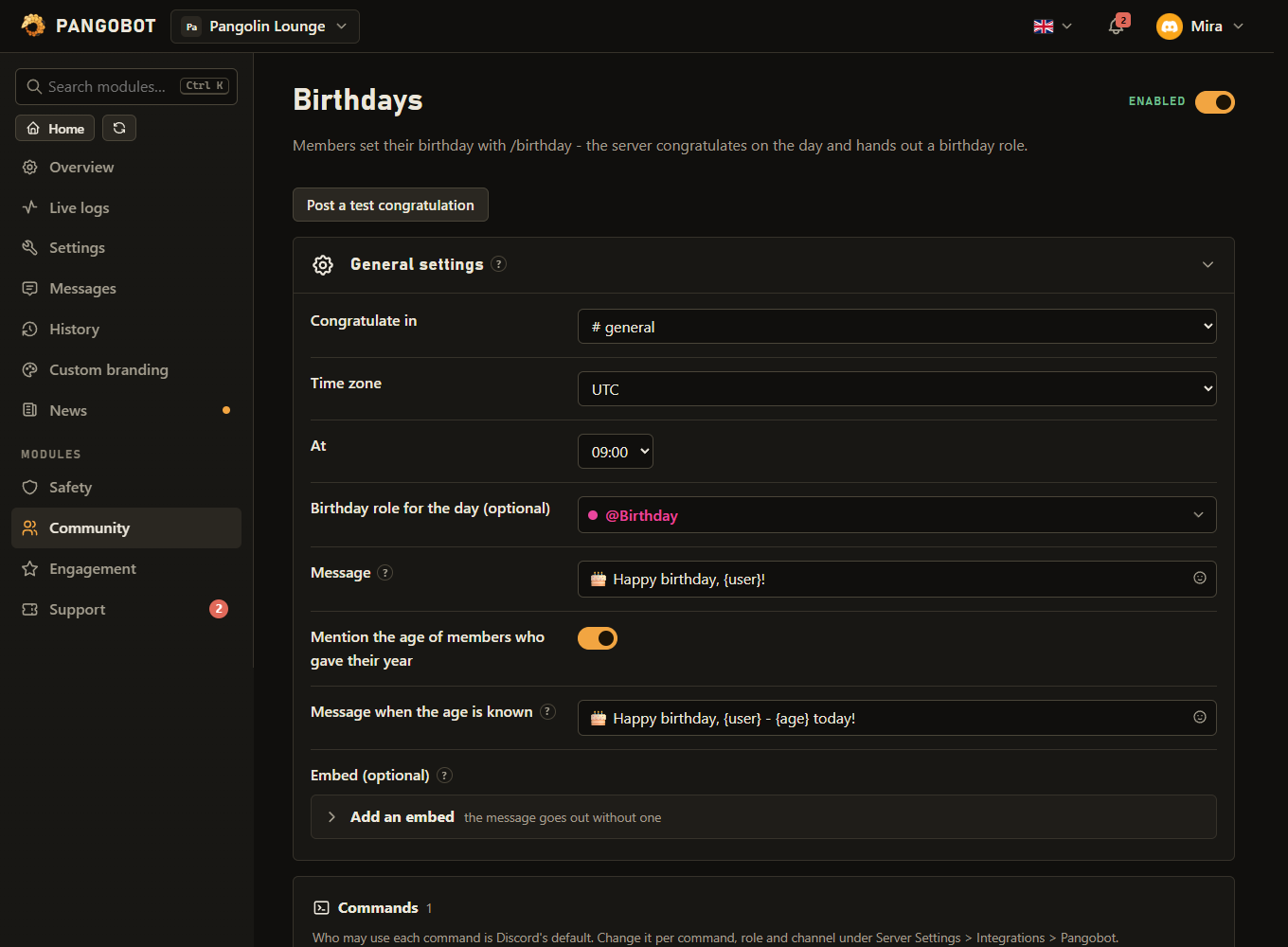
Members set their birthday with /birthday - the server congratulates on the day and hands out a birthday role.
Members enter their birthday with /birthday set; on the day the server congratulates in a channel and can hand out a birthday role until the congratulation hour the next day.
Commands
<required> [optional] - "who may use it" is Discord's default; a server's admins can change it per command under Server Settings > Integrations.
/birthday
Everyone/birthday set <day> <month> [year]Tell the server your birthday
daywhole numberDay of the monthmonthwhole numberMonth (January · February · March · April · May · June · July · August · September · October · November · December)yearwhole number, optionalOnly if you want your age to be shown
/birthday removeDelete your birthday from this server
/birthday show [member]Someone's birthday
membermember, optionalDefaults to you
/birthday nextThe next birthdays on this server
Settings
Everything you can set for this module in the dashboard, in the order the page shows it.
Placeholders: {user} {name} {server}
Placeholders: {user} {name} {age} {server} Only when “Mention the age of members who gave their year” is on.
Placeholders: {user} {name} {age} {server}
Good to know
- Check it with the button: Post a test congratulation posts the message for you in the channel, marked as a test and pinging nobody - and says if the birthday role cannot be given.
- The birthday role has to be below Pangobot's highest role and must not have staff permissions; otherwise it is not given and the dashboard's problem list says so. The message still goes out.
- A birthday entered on the day itself, after the hour has passed, is congratulated right away - not only next year. Each member is congratulated once a year: moving the date does not bring a second party.
- The year is optional. Members who gave it have their age mentioned - switch that off with Mention the age of members who gave their year.
- Congratulations go out at the hour you choose, in the time zone you choose. The congratulation messages and the embed can only be changed by someone who may write in the congratulation channel, also when somebody else picked that channel.
/birthday nextlists the upcoming ones.- The birthday role that was given comes off the next day - also when you changed or cleared the role setting meanwhile, or switched the module off. A role Pangobot cannot take off (moved above its highest role) is tried again the next day, and the problem list says so.
- Without a channel nothing is posted - fine if you only want the role. A congratulations channel that was deleted, or neither a channel nor a role, shows up in the problem list.
/birthday removeworks also while the module is switched off, and a member who leaves takes their birthday with them - also while it is off. Birthdays of members who left while Pangobot was offline are cleaned up by the daily run.- Post a test congratulation needs the module switched on: it shows what goes out live.
- One birthday a year: whoever was congratulated is not congratulated again - nor given the role - for 300 days, whatever date they enter next.
- The
{name}placeholder is the member's name as plain text: a name cannot turn into formatting or a link. - The bot's role must be above every role it should give or take, and it needs Manage Roles.
- Roles with staff permissions (Administrator, Manage Server / Roles / Channels / Messages, Ban, Kick, Timeout and the like) cannot be chosen here: Pangobot never hands them to members by itself. A role that gets such a permission later is simply not given out any more.