





Scheduled Messages Free
Write a message once, have it posted on time: on a date, or every day, week or month - in your time zone.
Write a message once and have it posted on time: on a date, or every day, week or month - in your time zone, with an optional embed and role ping. Or not on time at all: a message can wait for its channel to be busy instead.
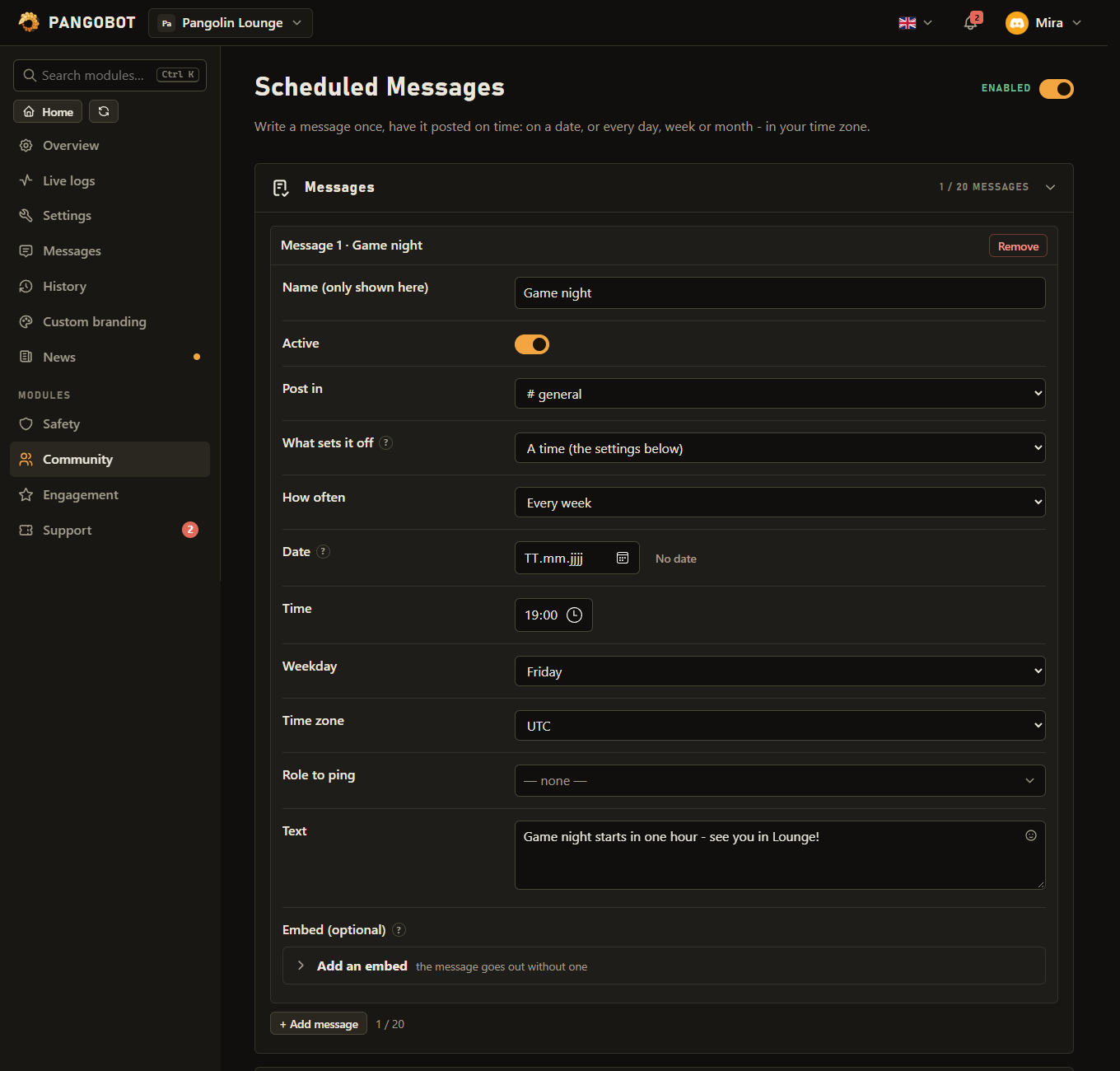
Settings
Everything you can set for this module in the dashboard, in the order the page shows it.
With "a number of messages", the time, the date and the weekday are not used: the message goes out once that channel has seen that many messages.
Only messages from people count, not bots. The count restarts each time it is posted. Only with “What sets it off”: “A number of messages in that channel”.
The message waits at least this long after it last went out. 0 = only the number counts. Only with “What sets it off”: “A number of messages in that channel”.
Only with “What sets it off”: “A time (the settings below)”.
For "once": the day. For the others, optional: nothing is posted before this day. Only with “What sets it off”: “A time (the settings below)”.
Only with “What sets it off”: “A time (the settings below)”.
Only with “What sets it off”: “A time (the settings below)” and with “How often”: “Every week”.
31 means the last day in shorter months. Only with “What sets it off”: “A time (the settings below)” and with “How often”: “Every month”.
Only with “What sets it off”: “A time (the settings below)”.
Placeholder: {server}
Limits
- Messages: up to 20
Good to know
- What sets it off is either a time or a number of messages. With a number of messages, the date, the time, the weekday and the time zone are not used at all: the message goes out once the channel it is posted in has seen that many messages.
- Only messages from people in that channel count. The count starts again each time the message goes out.
- At least this many minutes in between is what keeps a busy channel from getting the same message every few minutes: it is held back until that much time has passed since it last went out. 0 means only the number counts.
- A day of the month of 31 means "the last day" in shorter months.
- Each message has its own Active switch, so you can pause one without deleting it.
- If Pangobot was offline at that time, the message is posted when it is back within 10 minutes - otherwise it waits for the next time. It is never posted twice, also not after you rename it or move it to another channel. A count of messages starts again when Pangobot restarts.
- On the night the clocks go forward, a time that does not exist that night (02:30 in much of Europe and America) is posted at the moment the clocks jump.
- A "once" message on a day that is over is refused when you save - one from a backup or a Put back is kept, and not posted again. A message whose channel was deleted (or that has none) is not posted: Recent problems on the dashboard says so.
- The time zone is set per message, so a team spread over several countries can each plan in their own.
- A role can only be pinged if everybody may ping it ("Allow anyone to @mention this role" in its settings), or if you may ping every role yourself. @everyone cannot be pinged this way.