





Server Statistics Premium · €6.99
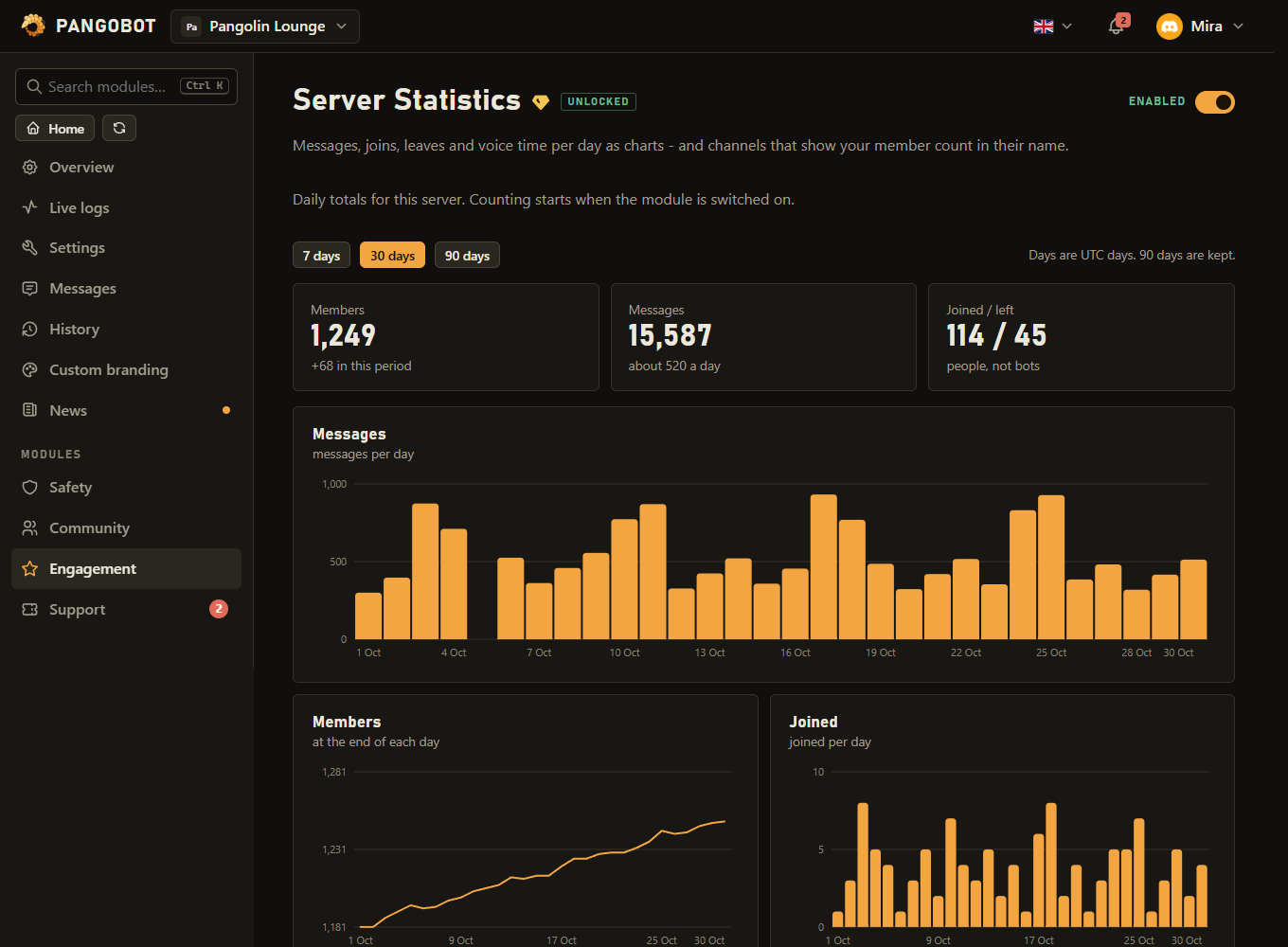
Messages, joins, leaves and voice time per day as charts - and channels that show your member count in their name.
Messages, joins, leaves and voice time per day as charts in the dashboard, /stats in Discord - and counter channels whose name shows a live number such as the member count.
Commands
<required> [optional] - "who may use it" is Discord's default; a server's admins can change it per command under Server Settings > Integrations.
/stats
Everyone/statsHow busy this server has been
Settings
Everything you can set for this module in the dashboard, in the order the page shows it.
Counter channels
A channel whose name is a number. A locked voice channel at the top of the list is the usual choice. Names change at most every ten minutes (Discord allows no more). Pangobot needs "Manage Channels" on them - and so do you, to set one up or change its name.
Placeholders: {members} {boosts} {channels} {roles} {voice} (in voice right now) {messages} (today) {joins} (today)
Leave it empty and press "Create the channel" to have one made for you.
Which category a channel made by "Create the channel" goes into. Nothing here means the top of the list.
Their threads and forum posts are not counted either. A category covers every channel in it.
Limits
- Counters: up to 5
- Channels whose messages are not counted: up to 50
- /stats is answered for everyone at most once a minute per channel; otherwise only the member sees it.
Good to know
- Press a template under the name to fill it in - Members, In voice now, Messages today, Joined today, Boosts, Channels or Roles - and then change it however you like. The placeholders are
{members}{boosts}{channels}{roles}{voice}(how many people are sitting in a voice channel right now, bots not counted),{messages}and{joins}(both for today). - Create the channel makes one for you, so you do not have to make it first and come back. It is made as a voice channel, because Discord keeps a voice channel name exactly as given - "Members: 1,204", spaces, capitals and colon - while a text channel is squashed into "members-1204". Everybody can see it and nobody can join it. Pick a category under Create it under and it goes in there; leave it empty and it goes to the top of the list. You need "Manage Channels" yourself - on the server, and in that category - and so does Pangobot.
- A locked voice channel at the top of the channel list is the usual counter channel. Each counter needs a channel of its own: two names for one channel would take turns.
- Counter placeholders:
{members}{boosts}{channels}(channels and categories, private ones too - not threads){roles}{voice}(in a voice channel right now, bots not counted){messages}(today){joins}(today). A{messages}or{joins}counter shows today's total to everyone who can see the counter - private channels included unless they are ignored. - Discord allows a channel to be renamed only about twice in ten minutes, so a counter changes at most every ten minutes - and only when its number has changed. Taking a counter away and adding it again, or switching the module off and on, does not rename the channel sooner.
- Setting up a counter, or changing its name, takes Manage Channels in that channel - the right it takes to rename the channel by hand; on a thread or forum post it takes Manage Threads, and nobody can set up a counter on a channel they cannot see. A counter somebody else set up stays when a manager without that right saves other settings.
- Time in voice is time people spend together: somebody alone in a channel, deafened or in the AFK channel is not counted. People who are already in voice when Pangobot starts are counted from its first minute.
/statsanswers for everyone only where the member may write, once a minute per channel, and where a channel has a slowmode no more often than the member may write there (members with Manage Messages or Manage Channels are not held back, as in Discord). Otherwise only the member who asked sees the answer.- The totals include private channels such as staff or ticket channels. Put the ones whose activity should not show up under Channels whose messages are not counted: ignoring a channel also ignores its threads and forum posts, and ignoring a category ignores every channel in it - the way to keep ticket channels, which come and go, out of the totals.
- Days are UTC days: what is counted before midnight UTC belongs to that day.
- Stored are totals per day (messages, joins, leaves, voice minutes, member count) - no message content and nothing per member. Opening the statistics page is not listed under Recent dashboard changes - only changes are.
What the bot needs
- Manage Channels for counter channels, and Connect too where the counter is a voice channel (Discord asks for it to rename one; Pangobot keeps it in the channels it makes). Manage Threads for a counter on a thread or forum post.