





Engagement
Telegram Relay Premium · €12.99
Mirror any Telegram channel or group into Discord - through your own Telegram account, so no bot has to be added over there.
Telegram Relay is a premium module: €12.99, once, for one server - no subscription. In the dashboard a locked module shows every setting as a preview before you buy. How premium works
Mirrors a Telegram channel or group into a Discord channel - text, and photos if you like. It reads through your own Telegram account, so no bot has to be added on the Telegram side: it works for channels you merely follow.
Setting it up
- Telegram wants every program that logs in to have an api_id and api_hash: open my.telegram.org, log in, choose API development tools and create an application (any title, platform "Desktop"). The module's page walks you through it.
- Enter both together with your phone number, then the code Telegram sends you (and your two-step password if you have one).
- Press Browse my chats, pick the chat and the Discord channel it should appear in.
Settings
Everything you can set for this module in the dashboard, in the order the page shows it.
RelaysListup to 10
Use "Browse my chats" above to add a relay without typing IDs.
Name shown in DiscordTextup to 80 characters
Telegram chat IDTextup to 24 characters
Post in Discord channelChannel
Relay photosSwitchOn
Embed colourColour
Show "via Telegram" and the timeSwitchOn
Off: the post shows only the name, the link to Telegram and the message - for announcements.
Limits
- Relays: up to 10
- Up to 40 relayed posts a minute per server and 20 per relay; pictures up to 8 MB; videos and other files are only mentioned, with a pointer to Telegram.
Good to know
- The Telegram session and the api_hash are stored encrypted and are never sent back to the browser. The connection can be ended at any time from the module's page - or from Telegram under Settings > Devices (it is called "Pangobot Relay"). End it there if Telegram could not be reached when you pressed Disconnect. If Pangobot is removed from the server, the stored session is kept for 30 days for a re-invite (it can then only be ended in Telegram), and is logged out and deleted after that.
- A short Telegram outage does not log the account out: Pangobot tries again every two minutes. Only a session ended in Telegram (Settings > Devices) or by Telegram removes the stored account - also while it is connected: the page then says so within about 10 minutes. Only existing Telegram accounts can be connected - for a phone number without one, Pangobot stops instead of creating an account - and your two-step password is used exactly as typed, spaces included.
- For announcements, switch Show "via Telegram" and the time off for a relay: its posts then show only the name, the link to Telegram and the message.
- Only relay what you are allowed to share: you are responsible for what you mirror.
- Each relay has its own name and embed colour in Discord. Paste chat IDs exactly as Browse my chats shows them: channels and big groups start with
-100, small groups with-. A number without a minus, as in at.me/c/...link, is read as the channel with that number - or the small group, if you typed one without its minus. Paste the full ID to name exactly one chat. Every relay needs a Discord channel, and a chat ID that names no chat (such as00000) is refused. - Only channels and groups are relayed. A relay that names a person, a bot, your Saved Messages or Telegram's own service chat (the one that brings login codes) stays silent.
- Relays run on the say-so of the person who connected the account, and only while they could post there themselves: they must be on the server, may change Telegram Relay on the dashboard (Manage Server, or a role given view and change for it under Settings > Dashboard access), must not be timed out, and their account must not be blocked from Pangobot. Only somebody with that access can connect an account. Relays saved by another manager (before the account was connected) wait until that person presses Approve relays or saves the Telegram Relay page once. The line under the account says why nothing is relayed, so does the problem list, and relaying resumes by itself once the reason is gone.
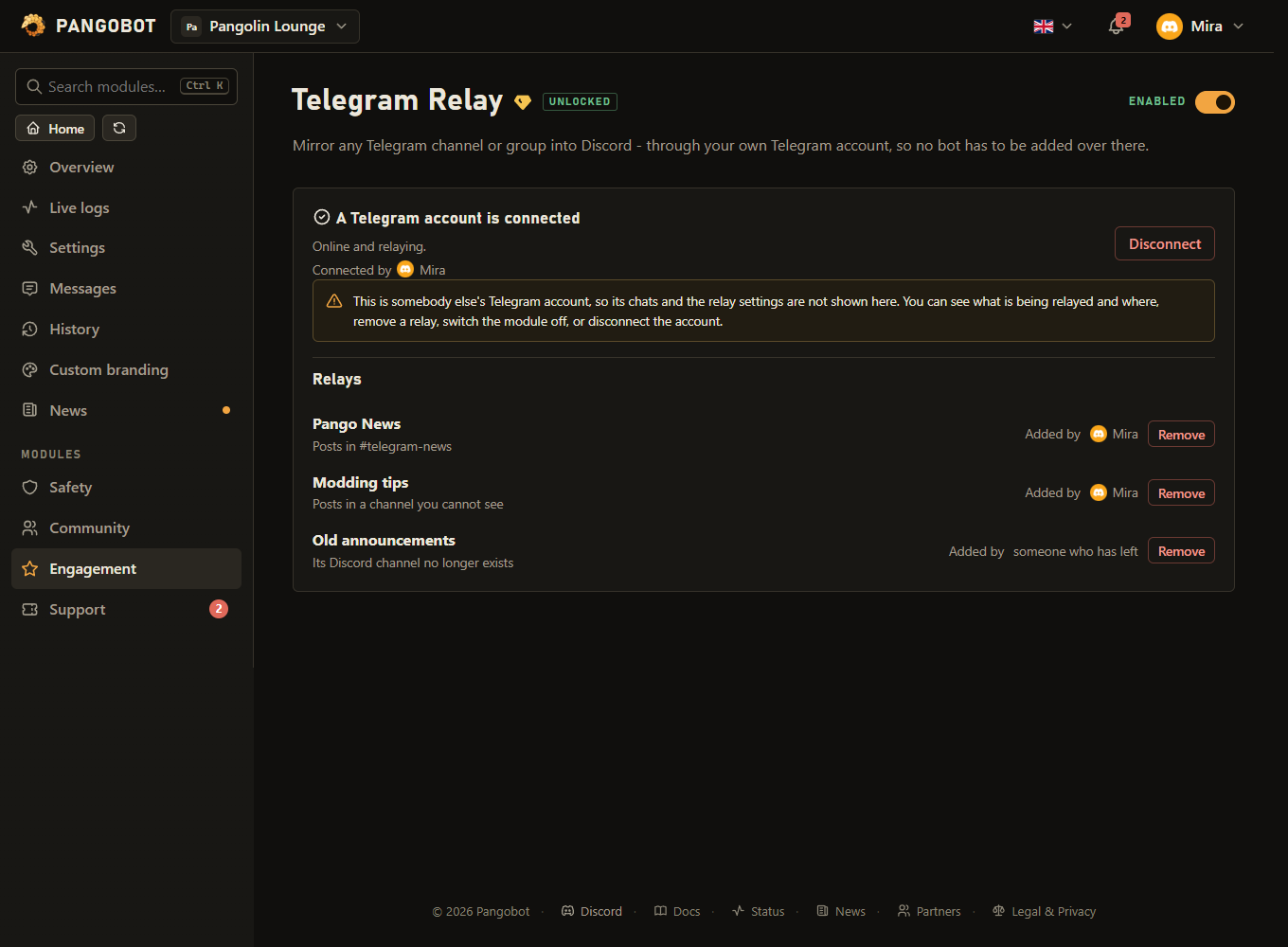
- Only the person who connected the Telegram account sees its chats and can add or change relays. Every manager with view and change access to this module (roles given it too) sees what is relayed here and can remove a relay, switch the module off or disconnect the account. Somebody's login that is under way is theirs for its 5 minutes: the others are told to wait. Disconnect keeps the relays (names, channels, colours) but forgets which Telegram chats they read - whoever connects next picks the chats again. Until then the page can still be saved and switched off as it is; a relay without a chat cannot be added, renamed or moved. The same happens when Telegram ends the session. Removing a relay and disconnecting are listed under History with the relay and the person concerned. On a locked or paused module the page still offers Disconnect and Remove.
- A relay only posts in a channel the person who connected the Telegram account can see and write in - checked when they save or approve the relays, and again for every message. Photos are only uploaded where they, and Pangobot, may still upload files; otherwise the post says there is a photo. Switching Relay photos on for a channel where you cannot upload files is refused. Messages of one chat are posted in the order Telegram sent them; a photo or chat name Telegram does not hand over within 30 seconds is skipped (the post says there is a photo), so the posts after it are not held up. Removing a relay, or moving it to another channel, also applies to messages still waiting to be posted.
- AutoMod applies to relayed messages. A message it would remove from a member (an invite link, a banned word, a link while links are blocked, too many capitals or emojis) is not posted, and the problem list says so. To relay everything, add the relay channel to AutoMod's Ignored channels / categories.
- At most 40 posts a minute per server and 20 per relay, and every Discord post counts: one Telegram chat relayed into three channels uses the server's limit three times as fast, and one busy relay does not hold up the others. The same relay problem (a message AutoMod held back in one channel, a channel Pangobot cannot post in) is listed at most once every 10 minutes.
- A link written as
[text](address)in Telegram is shown with its real address written out, not as a link with another name. @everyone, @here and role mentions in a Telegram message appear as text and do not ping. - Good to know: up to 10 relays and one Telegram account per server. Edits and deletions in Telegram are not mirrored, messages sent while Pangobot was offline are not caught up, and text over about 4000 characters is cut. At most 5 login attempts per 30 minutes per server, and 3 per person.
What the bot needs
- View Channel, Send Messages, Embed Links and Attach Files (photos) in the channel the posts go to. Without Embed Links nothing is posted there, without Attach Files photos are posted as a note - the problem list says so.