




The dashboard
A tour of the dashboard with pictures: what you see, where things are, and what a locked module looks like.
The dashboard is at the dashboard address. You log in with Discord and see the servers on which you hold Manage Server - and those where one of your roles was given dashboard access. Everything on these pictures is a demo server.
Overview of a server
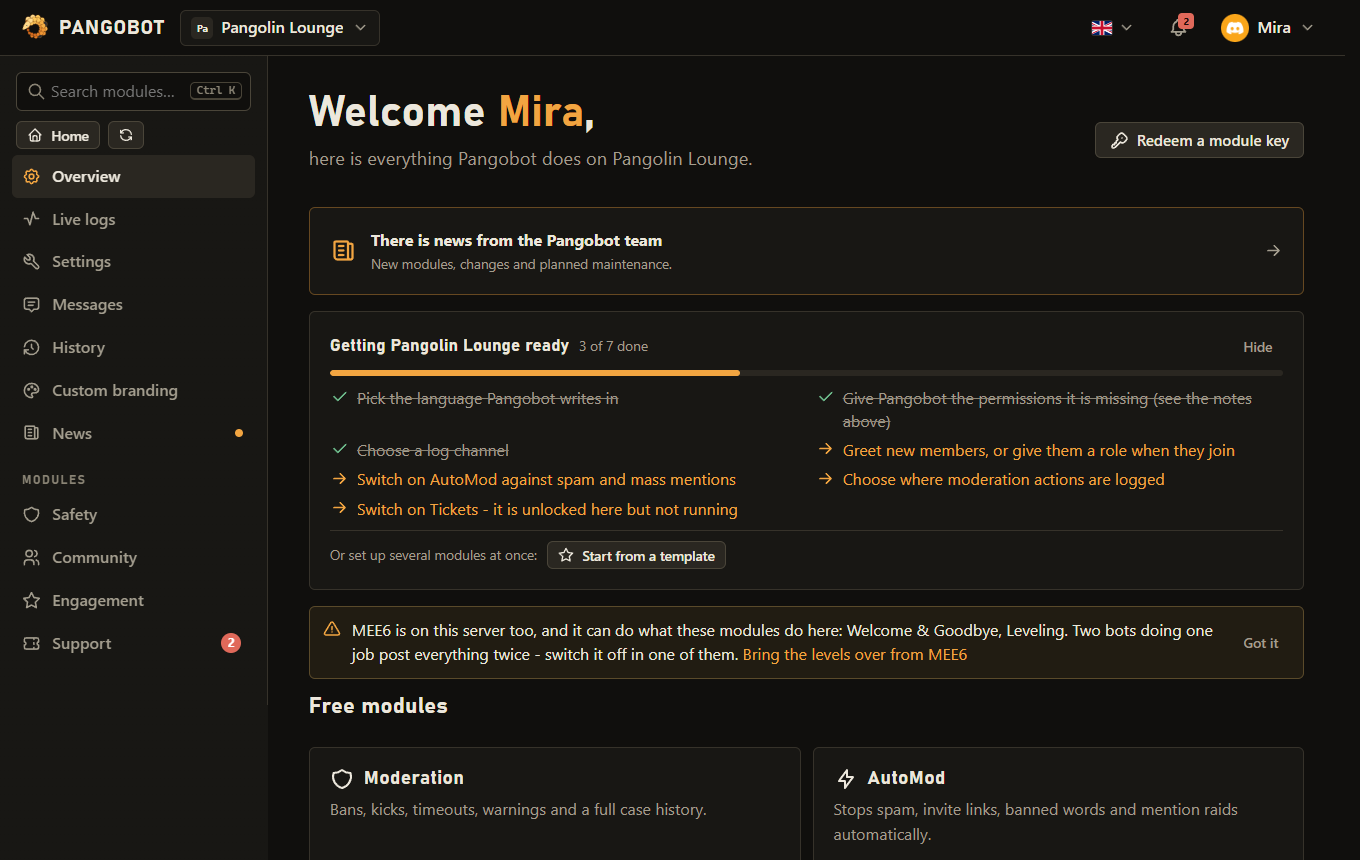
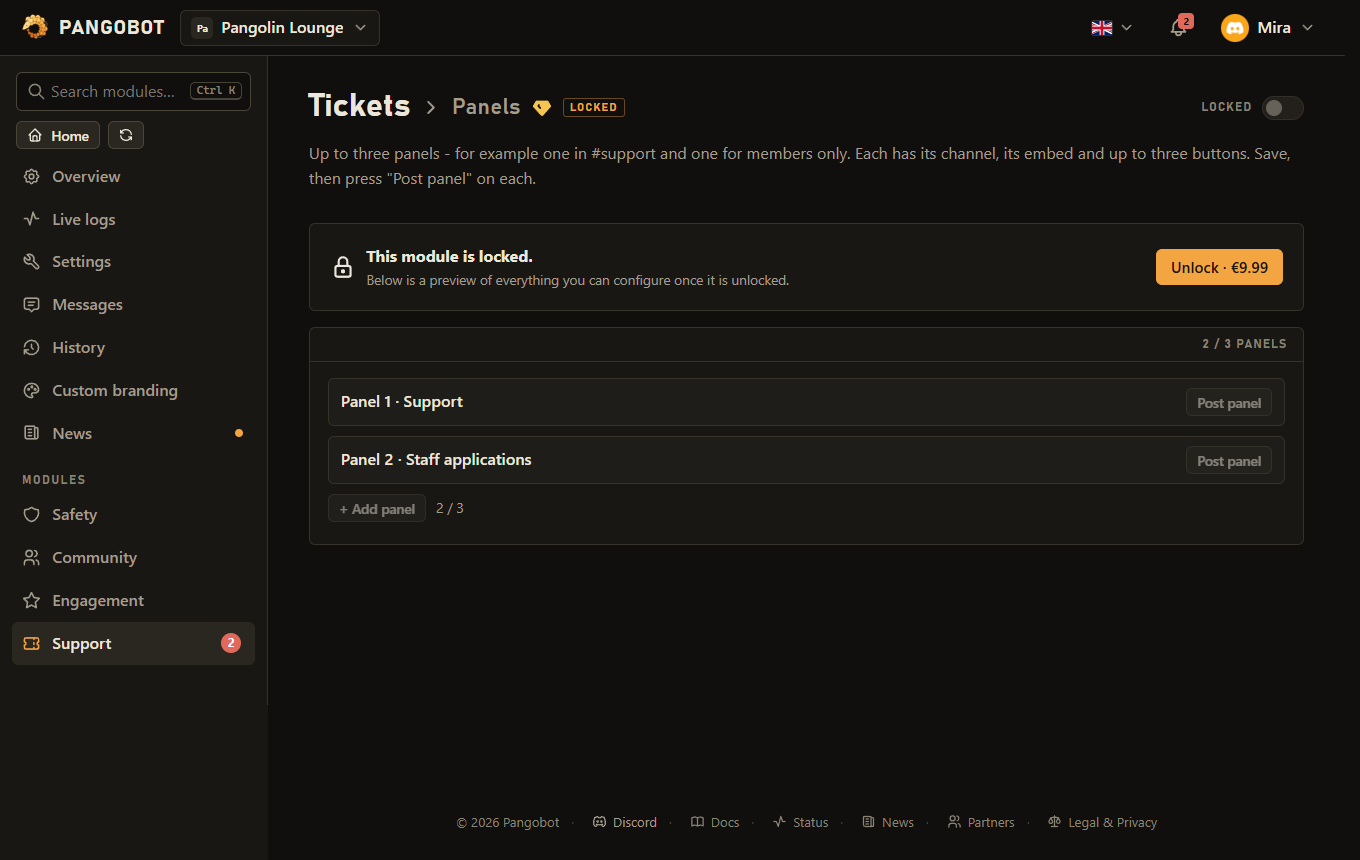
- A gem marks a premium module, a lock one that is not unlocked on this server yet.
- The bell at the top collects notices: purchases and refunds, redeemed gift keys, an AI Help balance that is almost used, and logins from a new device. Notices are kept for 90 days.
- Recent problems appear on top of the overview when the bot could not do something - for example "Missing access" in a channel it may not write in.
Categories and sections
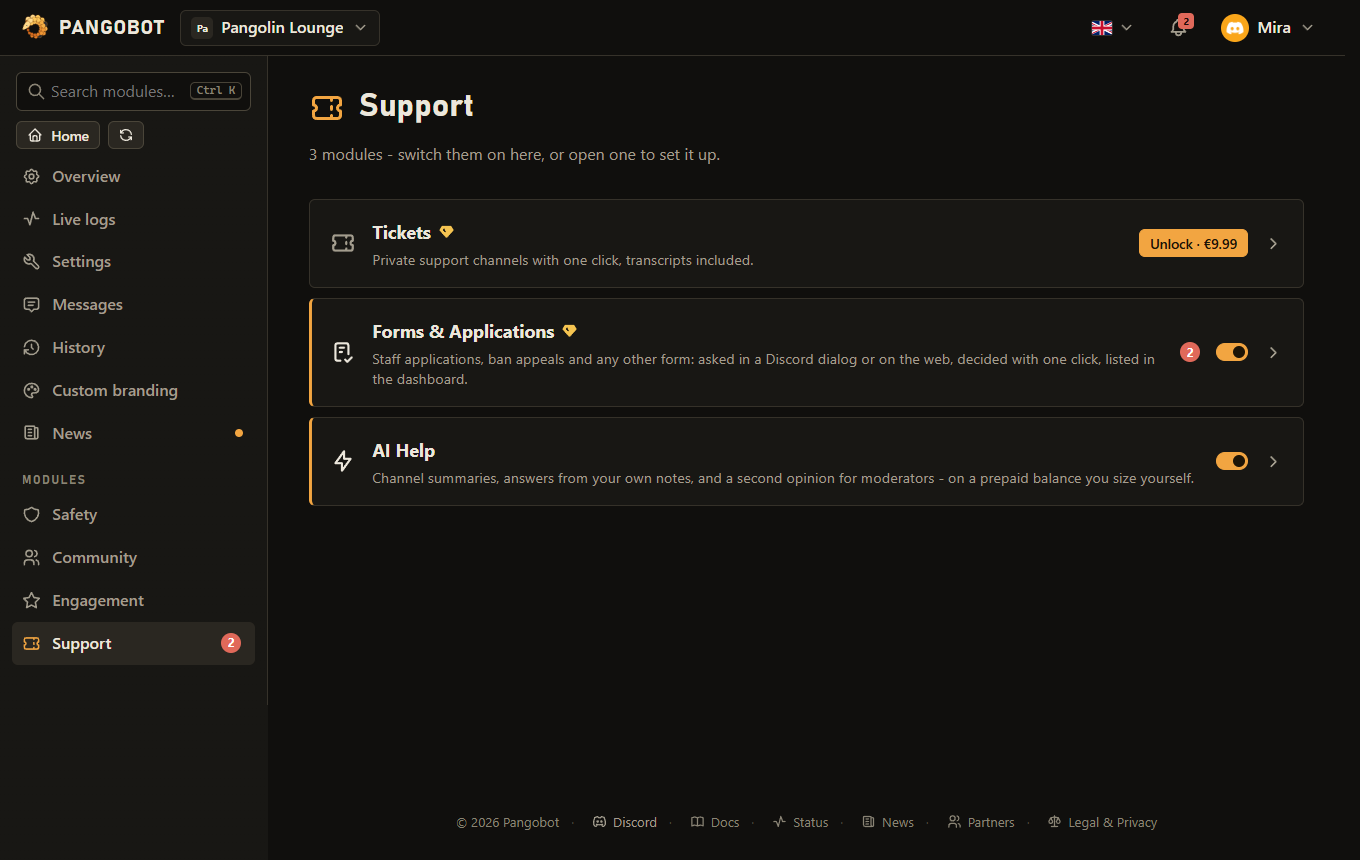
- The side bar lists the categories - Safety, Community, Engagement and Support. A category shows its modules, premium ones included, and each can be switched on or off right there.
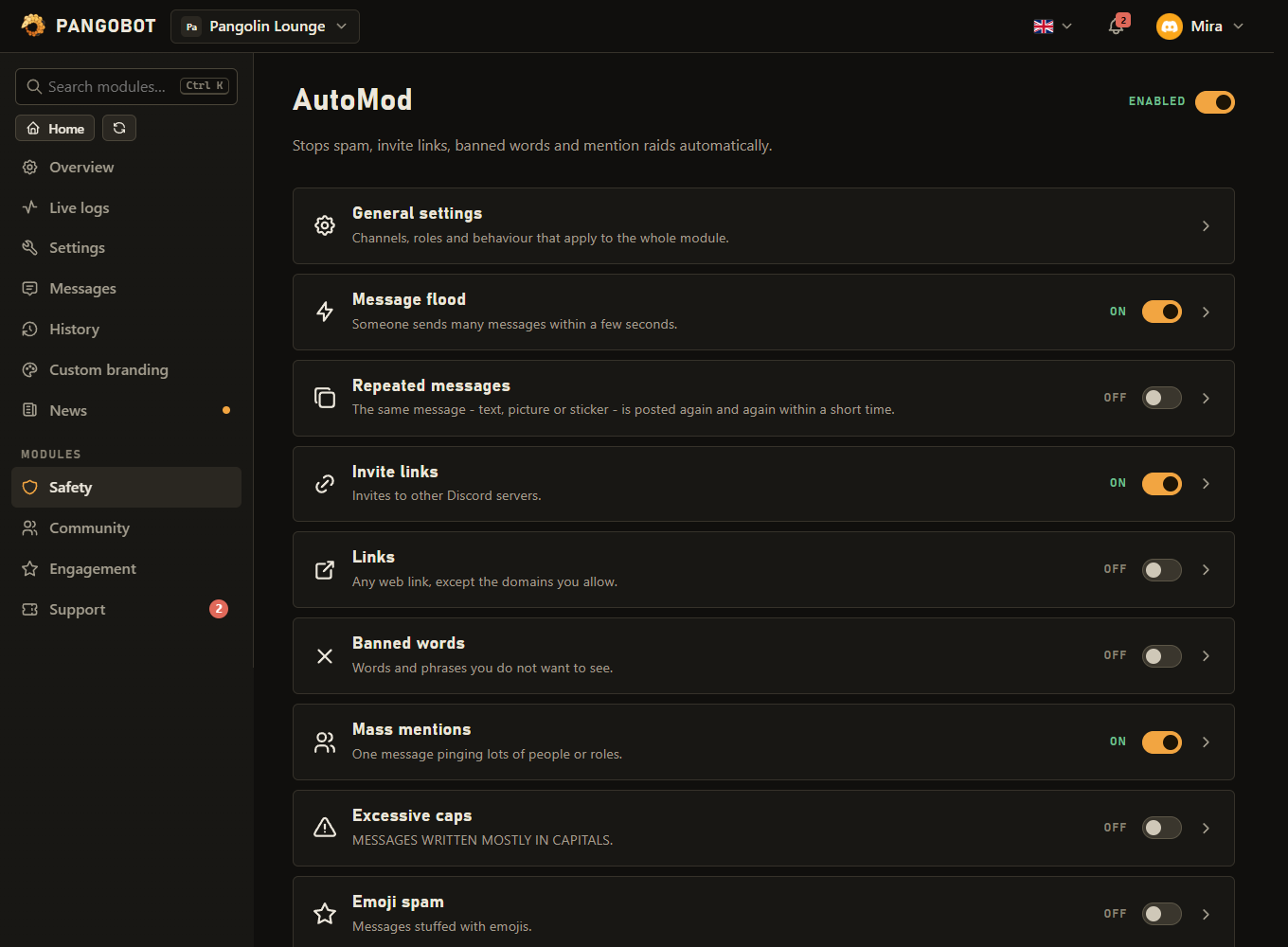
- A module with several parts lists them as rows. A row opens that part as a page of its own; Back returns to the module.
- Prefer the layout from before, with every module in the side bar and sections that fold open? Your user menu > Appearance > Dashboard look > Legacy dashboard. The pictures in these docs follow the look you use; the start page of the docs lets you switch them.
A module page
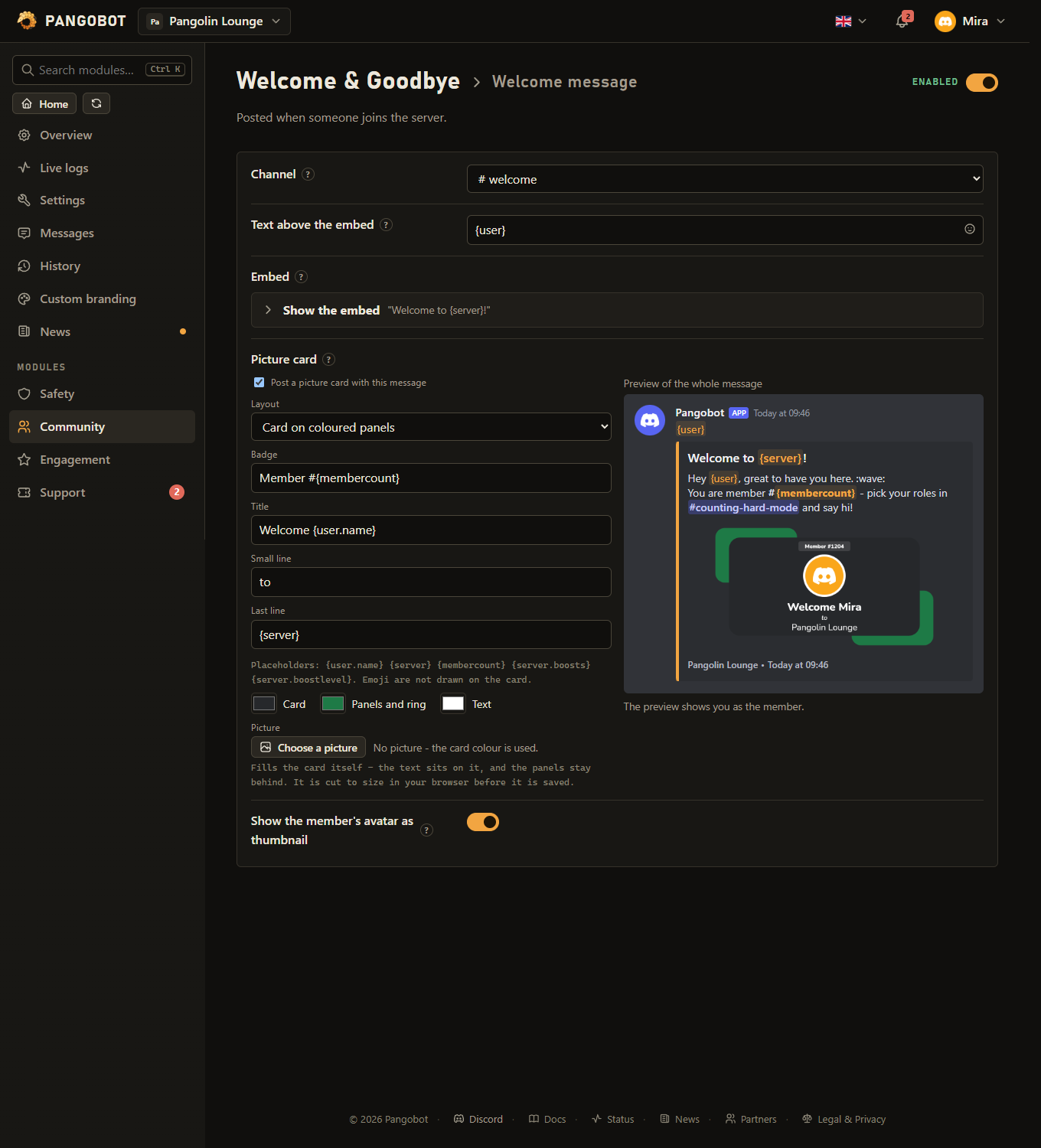
- Press Save and the change applies at once.
- The switch at the top right turns the whole module on or off for this server. Settings are kept while it is off.
- Texts that the bot posts accept placeholders such as
{user}and an emoji picker with your server's own emojis - see Embeds and placeholders.
Rules with many options
A premium module before you buy it
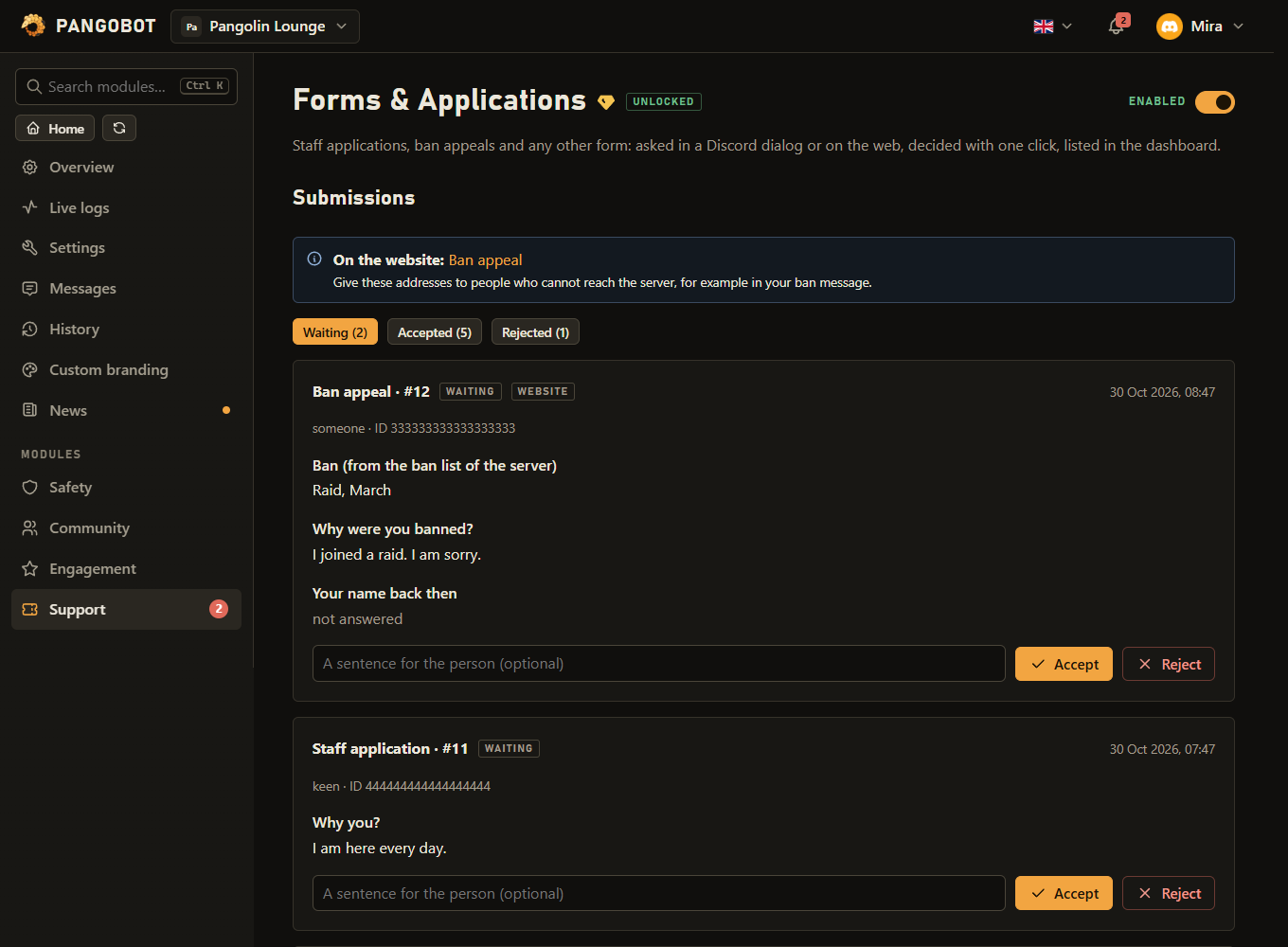
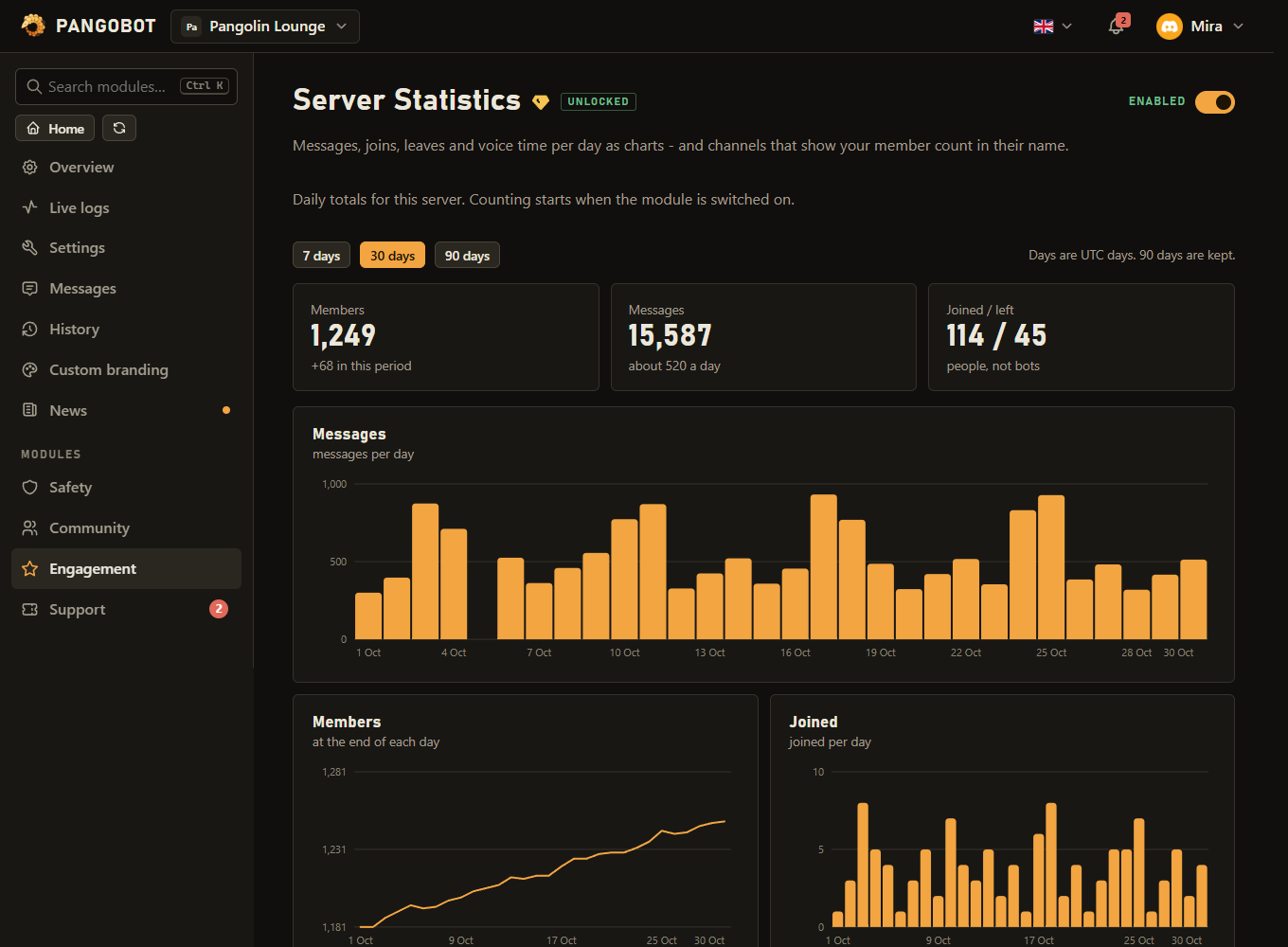
Modules with a page of their own
Everything else in the side bar
- Live logs - what the bot is doing on this server right now. You only see entries from channels you can see yourself. Point at a name to see its ID.
- Settings - the language Pangobot writes in on this server, the prefix for text commands and how much the bot says when a command fails: General settings.
- Messages - every message Pangobot writes to a member, module by module, in your own words. Messages that already have a setting elsewhere (a welcome embed, the level-up line) link to that page.
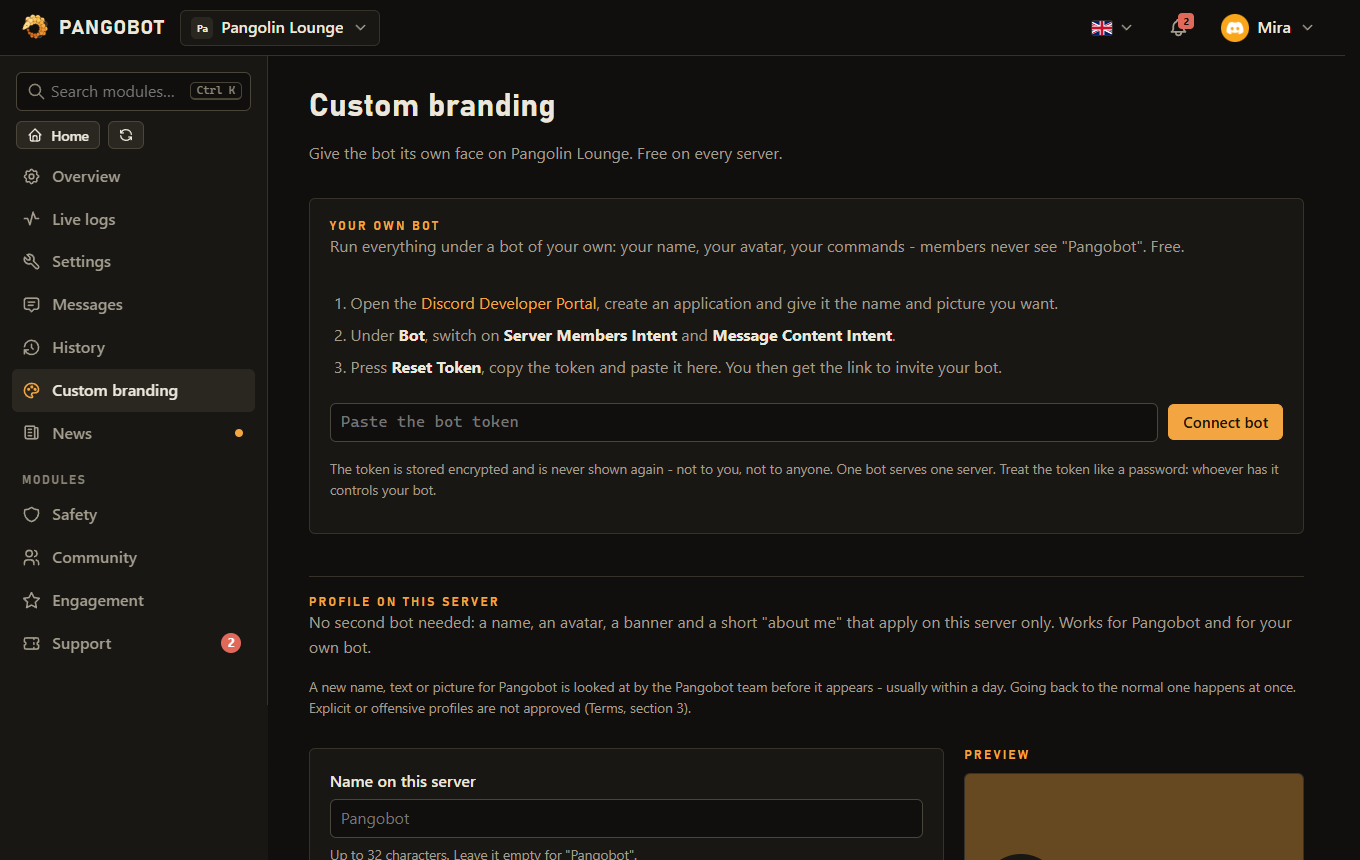
- Custom branding - another name, avatar and banner for the bot on your server, or a bot of your own: Custom branding.
- Purchases & keys (in your user menu) - what you bought, and module keys you can give away.
- Getting started on the overview lists what most servers set up - the bot language, a log channel, a welcome or a join role, AutoMod, a moderation log, a premium module you bought but did not switch on - and ticks each one off by itself once it is done. Start from a template sets up several modules at once for a Community, Gaming, Support or Study server: you pick its channels and roles, see what each module would change, and choose which ones to set up. Each one can be put back in the History.
- Settings > Roles with dashboard access - let a role use the dashboard without Manage Server: view only or view and change, for every module or a few (the Mod team gets Moderation and Logging, for example). Members with the role find the server in their dashboard and see only what was given to them; what they change is in the History with their name. Settings, Verification & Anti-Nuke, purchases, branding, backups and templates always stay with Manage Server.
- What someone with dashboard access picks still follows their own Discord rights: only channels they can see and write in, and only roles below their own highest role (with Manage Roles). No modules picked means all of them, also ones added later. Anybody who can give themselves the role in Discord gets its dashboard access too - so a role that a role menu, join roles, a level reward or the shop hands out cannot get dashboard access, and a role with dashboard access is never handed out by Pangobot. A grant whose role was deleted in Discord is dropped at the next save.
- Settings > Web leaderboard - a public page with the top 100 members of Leveling, Economy and Invites, for the modules your server uses. It is off until you switch it on. Members can hide themselves on the page by logging in with Discord; search engines are asked not to list it.
History
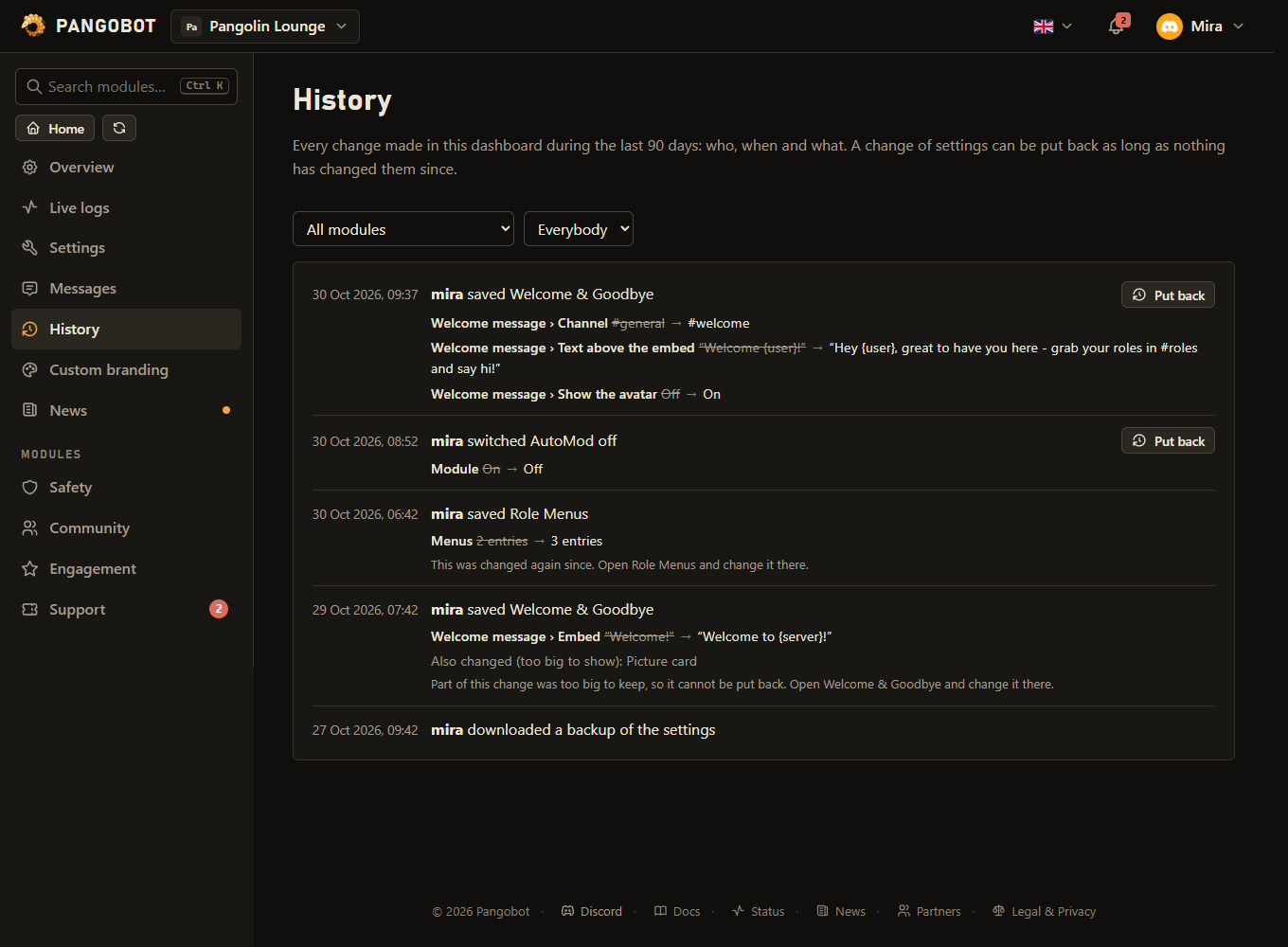
History - every change made in the dashboard during the last 90 days: who, when, and the old and new value of each setting. Put back undoes a change as long as nothing has changed those settings since; putting back is a change of its own and can be undone too.
- A change cannot be put back once the same settings were changed again since, or when part of it was too big to keep (a long embed, a picture card). The entry then says so and links to the module.
- Switching a module on or off, a backup that was downloaded or restored and a template that was set up are in the History too.
- Someone with dashboard access to a few modules sees only the History of those modules, and can put back only where they may change things.
- Entries are kept for 90 days, at most the last 1000 per server.
Backup and restore
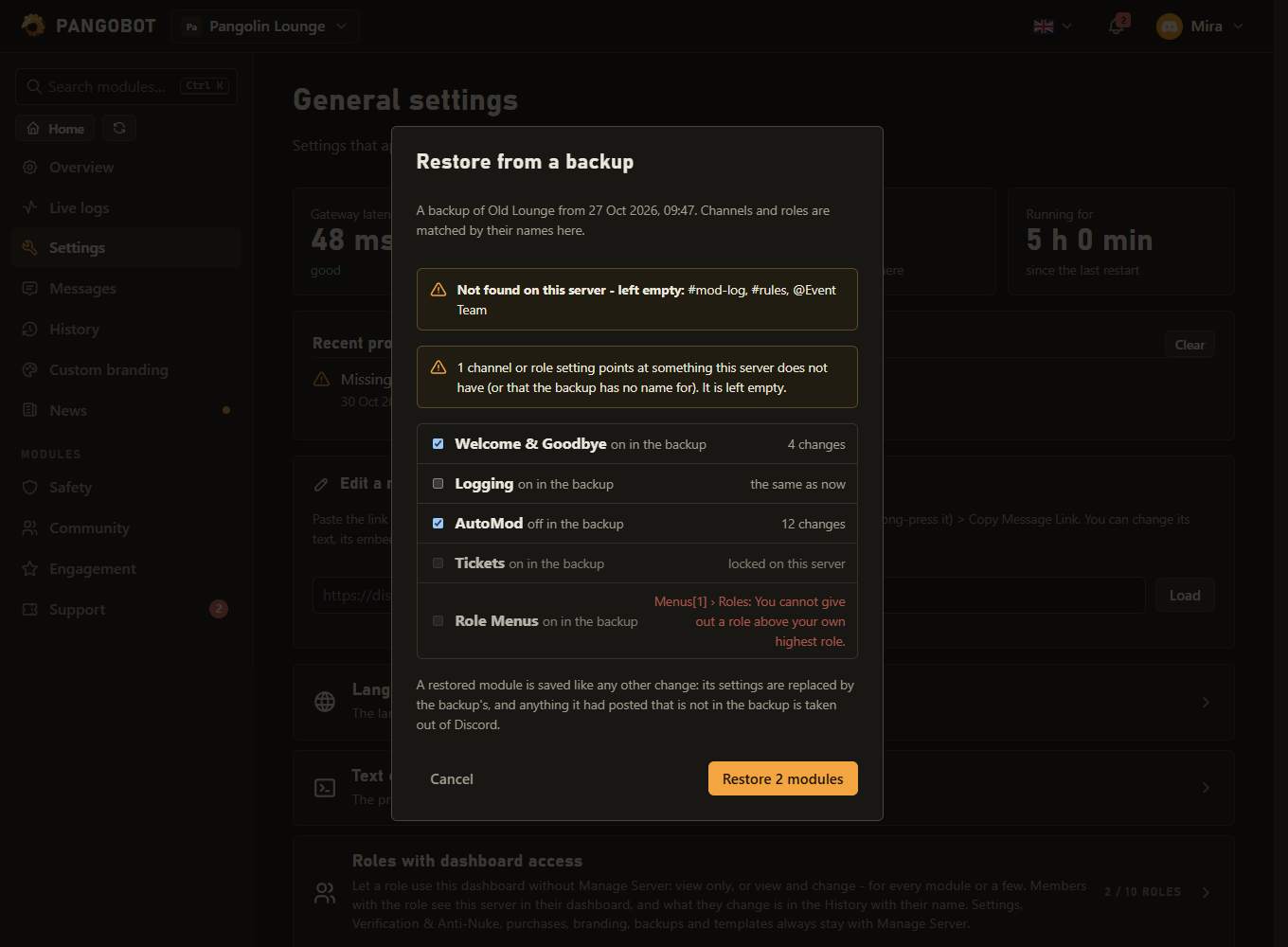
Settings > Backup - the settings of every module in one file. Restore it into the same server after a mistake, or into another server to set it up the same way: channels and roles are matched by their names there, and whatever is not found is left empty. Before anything is written you see what each module would change, and you pick which ones to restore. Locked modules and Telegram are not part of a backup.
- Dashboard > Settings > Backup > Download backup saves one file with the settings of every module.
- To restore it, press Restore from a file… on the server it should go to and pick the file.
- Untick what you want to keep as it is, and press Restore. Each restored module is a change of its own in the History, so it can be put back there.
Good to know
- Ctrl+K (or /) jumps to the search in the side bar from any page of a server. A result found by one of its settings opens the module right at that setting, and Enter opens the first result.
- Ctrl+S saves a module page.
- Switching a module off in the side bar can be taken back for a few seconds with Undo in the message that says so.
- A module that is off says so at the top of its page, with a Switch on button.
- Send to me under the preview of an embed sends it to your own direct messages, so you see it in Discord before your members do. Placeholders such as {user} are filled in with you; at most 5 tests in 10 minutes.
- Your user menu > Appearance > Theme: dark, light, or like your device. It is saved with your account; the legacy dashboard stays dark.
- On Live logs, the search box filters what is on screen by any word, and Download CSV saves what is shown (open it in any spreadsheet).
- When a well-known bot such as MEE6, Dyno or Carl-bot is on your server and can do the same job as a module you switched on, the overview says so - two bots greeting or levelling the same members post everything twice.
- Removing something you have posted (a role menu, a form panel, an embed post, a sticky message) and saving also deletes its message in Discord. Switching a module off deletes nothing.
- A locked premium module still offers what only backs out, such as End lockdown now of Verification & Anti-Nuke.
- While you are timed out on a server, its dashboard stays closed to you until the timeout ends.
- Log out everywhere is in the bell menu.