





Moderation Free
Bans, kicks, timeouts, warnings and a full case history.
The classic tools - ban, kick, timeout, warn - with a case for everything: who, whom, why, when. Cases can be looked up, edited and removed (a removed case no longer counts, but stays in /history, struck through), and a member's history is one command away.
Setting it up
- Pick a mod-log channel that only your staff can see. Every case except a
/noteis posted there (a note still takes a case number), and so is every purge, with who did it. - Decide whether members get a direct message when they are punished, and add appeal instructions - your own text, and with Add the address of your ban appeal form the address of the ban-appeal form from Forms.
- Optional: preset reasons for your moderators, immune roles, warnings that expire, and automatic escalation - for example a one-hour timeout at three active warnings.
Commands
<required> [optional] - "who may use it" is Discord's default; a server's admins can change it per command under Server Settings > Integrations.
/ban
Ban Members/ban <user> [reason] [duration] [delete_days]Ban a user (optionally temporary)
usermemberUser or user IDreasontext, optionalReason (shown in the mod log and DM)durationtext, optionalTemporary ban, e.g. 7d or 12hdelete_dayswhole number, optionalDelete their messages from the last N days (Don't delete any · Last 24 hours · Last 2 days · Last 3 days · Last 4 days · Last 5 days · Last 6 days · Last 7 days)
/unban
Ban Members/unban <user> [reason]Unban a user
usermemberUser IDreasontext, optionalReason (shown in the mod log and DM)
/kick
Kick Members/kick <user> [reason]Kick a member
usermemberThe memberreasontext, optionalReason (shown in the mod log and DM)
/softban
Ban Members/softban <user> [reason]Ban and immediately unban to wipe a member's recent messages
usermemberThe memberreasontext, optionalReason (shown in the mod log and DM)
/timeout
Timeout Members/timeout <user> [duration] [reason]Time a member out (mute)
usermemberThe memberdurationtext, optionale.g. 10m, 2h, 7d - left out: 28 days, the longest Discord allowsreasontext, optionalReason (shown in the mod log and DM)
/untimeout
Timeout Members/untimeout <user> [reason]Remove a member's timeout
usermemberThe memberreasontext, optionalReason (shown in the mod log and DM)
/warn
Timeout Members/warn <user> <reason>Warn a member
usermemberThe memberreasontextReason (shown in the mod log and DM)
/note
Timeout Members/note <user> <text>Attach a private moderator note to a user
usermemberThe membertexttextThe note
/history
Timeout Members/history <user> [page]Show a user's moderation history
usermemberThe memberpagewhole number, optionalPage
/case
Timeout Members/case view <number>Show a case
numberwhole numberCase number
/case reason <number> <reason>Change the reason of a case
numberwhole numberCase numberreasontextNew reason
/case remove <number>Mark a case (e.g. a warning) as removed so it no longer counts
numberwhole numberCase number
/purge
Manage Messages/purge <amount> [user] [contains] [bots]Bulk delete recent messages in this channel
amountwhole numberHow many messages to check (1-100)usermember, optionalOnly messages from this usercontainstext, optionalOnly messages containing this textbotsyes / no, optionalTrue: only bots · False: only people
/slowmode
Manage Channels/slowmode <interval>Set slowmode for this channel
intervaltextHow long members wait between messages (Off · 5s · 10s · 15s · 30s · 1m · 2m · 5m · 10m · 15m · 30m · 1h · 2h · 6h)
/lock
Manage Channels/lock [channel] [reason]Stop @everyone from sending messages in a channel
channelchannel, optionalDefaults to this channelreasontext, optionalReason (shown in the mod log and DM)
/unlock
Manage Channels/unlock [channel]Undo /lock
channelchannel, optionalDefaults to this channel
Ban Ban MembersA right-click command: right-click (or long-press) a member, then Apps > Ban.
Kick Kick MembersA right-click command: right-click (or long-press) a member, then Apps > Kick.
Mute Timeout MembersA right-click command: right-click (or long-press) a member, then Apps > Mute.
Warn Timeout MembersA right-click command: right-click (or long-press) a member, then Apps > Warn.
Purge until here Manage MessagesA right-click command: right-click (or long-press) a message, then Apps > Purge until here.
Settings
Everything you can set for this module in the dashboard, in the order the page shows it.
Every case except a /note is posted here (notes still take a case number), and so is every purge.
Added to ban DMs, e.g. a link to your appeal form. Only when “DM members when they are punished” is on.
Ban DMs get the web address of the form you marked as a ban appeal in Forms & Applications. Only when “DM members when they are punished” is on.
Offered while a moderator fills in "reason" in /ban, /kick, /timeout, /warn and the others. They can still type anything else. At most 25, 100 characters each.
For a timeout, kick or ban that comes from automatic escalation. Empty = what actually happened ("Reached 3 warnings"). Only when “DM members when they are punished” is on.
Members with these roles cannot be punished through Pangobot - by anyone, administrators and the owner included, nor by automatic escalation. A role every member has would shield the whole server. AutoMod and Join Guard have their own exceptions. Only roles below your own highest role that you do not have yourself can be made immune.
0 = never
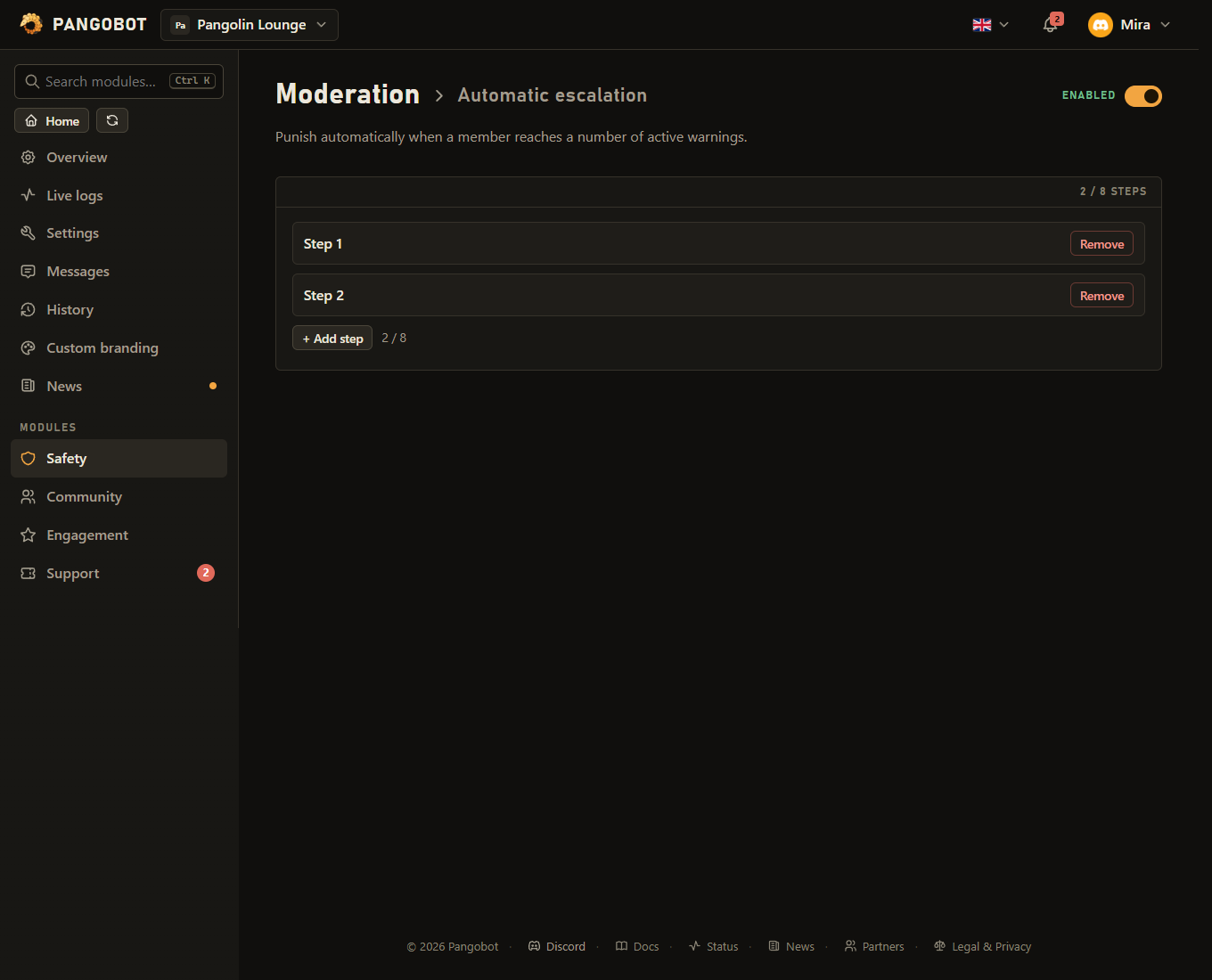
Each step runs once, when a member reaches exactly that number of active warnings. Warnings from AutoMod count too.
How long the timeout or the ban lasts. Discord ends a timeout after 28 days at the latest. Not with “Do this”: “Kick”.
Limits
- Preset reasons: up to 25
- Automatic escalation: up to 8
- A timeout lasts 28 days at most (Discord's own limit).
- A moderator other than the server owner can punish at most 8 members a minute.
Good to know
- Right-click a member > Apps has Ban, Kick, Mute and Warn on it, and right-clicking a message has Purge until here. They check everything the commands check - a small form asks for the reason (and how long, for a mute), everything is checked again when that form comes back, and the answer is shown only to you. Purge until here needs Manage Messages yourself and deletes the message you clicked and up to 99 newer ones, keeping anything pinned; for more, right-click the oldest message that is left. Discord itself refuses to bulk delete messages older than 14 days.
- Durations are written like
10m,2h,7d. A ban with a duration lifts itself when the time is up - that ban only: if it was lifted and somebody banned them again in the meantime, the new ban stays. If Pangobot cannot lift it, it tries again later and then shows it under Recent problems./banrefuses somebody who is banned already: to change how long,/unbanand ban again. - The message that confirms a ban shows the banned account's profile picture, the reason the moderator gave and who they are. A reason is shown as plain text: a link written into it does not become a clickable link, and the message pings nobody.
/softbanbans and immediately unbans: it removes the last 24 hours of the member's messages without keeping them out. It works on someone who already left too, and refuses somebody who is banned - it would lift their ban./noteis only visible to moderators and never notifies the member.- Discord's own rules still apply: nobody can act on the server owner or on someone whose highest role is the same as or above their own - or the same as or above the bot's.
- Require a reason makes the reason option mandatory for every action,
/lockincluded (/unlockhas none). - Preset reasons are the wordings your team uses most often (up to 25). They are offered while a moderator fills in reason - in
/ban,/kick,/softban,/timeout,/warn,/unban,/untimeout,/lockand when rewriting a case reason with/case reason. Moderators can still type their own. - Add the address of your ban appeal form puts the web address of the form you marked as a ban appeal in Forms into every ban DM, under your own appeal instructions.
- When a warning escalates into a kick or ban, the member is told about that removal instead of about the warning; an automatic timeout is added to the warning message. The warning message also says how many active warnings they have and what happens at the next step. Reason members are told when Pangobot acts by itself replaces the wording they see ("Reached 3 warnings") with your own; the mod log, the case and Discord's audit log always keep the real reason.
- Members with an immune role cannot be punished through Pangobot - not by any moderator, and not by automatic escalation (lifting a timeout with
/untimeoutstill works). AutoMod and Join Guard have their own exceptions: AutoMod's ignored roles and Join Guard's allowed users. Only a role below your own highest role that you do not have yourself can be made immune (the owner may pick any), and never @everyone. An immune role shields its members from everyone, the owner included - so never pick a role every member has. (Someone with Manage Roles can still give themselves a lower role that is immune already: that is Discord's own power, so keep Manage Roles for people you trust.) - A command only works for someone who has its permission themselves - handing
/banto a role in Server Settings > Integrations is not enough. - One moderator can act against at most 8 members a minute (bans, kicks, softbans, timeouts and warnings that escalate - not plain warnings). Pangobot says when they can go on; an action it refused (a wrong duration, a missing permission) uses up nothing. The owner is not limited.
/lockalso closes the channel for roles that are explicitly allowed to write there (a "Member" role, for example) - staff roles excepted./unlockopens exactly those again and gives @everyone back what it had before the lock, so a read-only channel such as #announcements stays read-only./unlockdoes nothing on a channel that was not locked with/lock. A member with their own permission to write there is closed too (staff excepted) and opened again by/unlock. Both need View Channel, Manage Channels and Manage Permissions in that channel; a category cannot be locked.- Automatic escalation to a kick or ban only happens when the moderator who warned has Kick Members or Ban Members themselves. Otherwise the warning is still recorded and Pangobot says why the kick or ban was held back. Timeouts still work for anyone who may warn. Kicks and bans from escalation count for the moderator who warned in Verification & Anti-Nuke, just like
/banand/kick. A step runs once, when a member reaches exactly its number of active warnings, and two steps cannot share a number. Setting up a ban, kick or timeout step takes Ban Members, Kick Members or Timeout Members yourself (the owner may set up any): AutoMod warnings escalate too, and their kicks and bans are limited to 8 a minute per server. When a step is not carried out (an administrator cannot be timed out, Discord refused it ...), the moderator who warned is told privately. - If Pangobot is away from your server when a temporary ban should end (removed and invited back, or your own bot offline), it lifts the ban once it is back. It keeps trying for up to 30 days.
- Changing a case's reason or removing a case is posted to the mod log with who did it - a new reason with the old one next to it. Nobody can change a case about themselves, or about someone whose highest role is the same as or above their own (the owner can).
/historyshows how many active warnings count towards the escalation steps, marks warnings that have expired, and says until when a temporary ban or a timeout runs./purgelooks at the last messages you name and deletes those that match - bots: True only bots, False only people. Pinned messages and messages older than 14 days stay, and the answer says how many.- Switching Moderation off stops its commands and its automatic escalation: AutoMod warnings are still recorded, but no step times anybody out, kicks or bans, and the Ban button on report and Join Guard cards is off too.
What the bot needs
- Ban Members, Kick Members and Moderate Members (timeouts) for the punishments; Manage Messages and Read Message History for
/purgeand Purge until here; Manage Channels for/slowmode; Manage Roles for/lock(Pangobot keeps its own right to write in the channel it locks). In the mod-log channel: Send Messages and Embed Links.