





Tickets Premium · €4.99
Private support channels with one click, transcripts included.
Up to three panels, each with up to three buttons - for example Support, Bug and Question in #support, and an Apply button in #members. Pressing one creates a private channel for that member and the support roles of that kind of ticket; closing it can save a transcript.
Setting it up
- Add a panel: its channel and its embed. Choose the category tickets are created in and your support roles.
- Write the first message inside a ticket.
- Optional: add buttons to a panel - each with its text, emoji, colour, channel name, category and support roles. The preview shows them under the panel.
- Save, then press Post panel on each panel.
When a ticket is closed
With a transcript channel set, the conversation is saved there as a file first, and the ticket's channel is deleted five seconds later. Without a transcript channel, the channel is deleted all the same - and its conversation is gone. A closed ticket cannot be reopened: the member opens a new one.
- Transcripts are posted to the transcript channel as a file: the whole conversation with forwarded messages, polls and embeds (Pangobot's own notices too), who took part, and names next to mentions. An edited message is in it as it was last, marked as edited. For a very long ticket, the file has its first 100 and its last 900 messages, 8 MB at most. The transcript channel has to be one you can write in yourself, and only your staff may read it: not @everyone, and no role like "Verified" or "Members" unless it is a support role or has staff permissions. This is checked again whenever a ticket is closed.
- Files and screenshots are listed in the transcript as links, and Pangobot keeps no copy: Discord stops serving them soon after the ticket is deleted, so save what you need before closing.
- No transcript, no deletion: if a closed ticket's transcript cannot be posted (Pangobot is missing a permission there, the transcript channel was deleted, or members can read it), the ticket's channel is kept instead of deleted, and the problem list says why. Fix it and close the ticket again - the transcript is saved and the channel removed - or delete it by hand. A kept ticket no longer counts toward the member's limit.
- Pressing Close ticket asks first.
/ticket closecloses at once, and it works while Tickets is switched off, like the button. - Closed tickets are forgotten after 180 days. Only the number of your newest ticket is kept, so the numbering goes on.
- Once a ticket is closed, the member and anyone added with
/ticket addcan no longer write in it, so nothing is said after the transcript was taken. Nobody can open threads in a ticket: their messages would not be in the transcript.
Commands
<required> [optional] - "who may use it" is Discord's default; a server's admins can change it per command under Server Settings > Integrations.
/ticket
Everyone/ticket closeClose this ticket
/ticket add <user>Add someone to this ticket
usermemberWho
/ticket remove <user>Remove someone from this ticket
usermemberWho
Settings
Everything you can set for this module in the dashboard, in the order the page shows it.
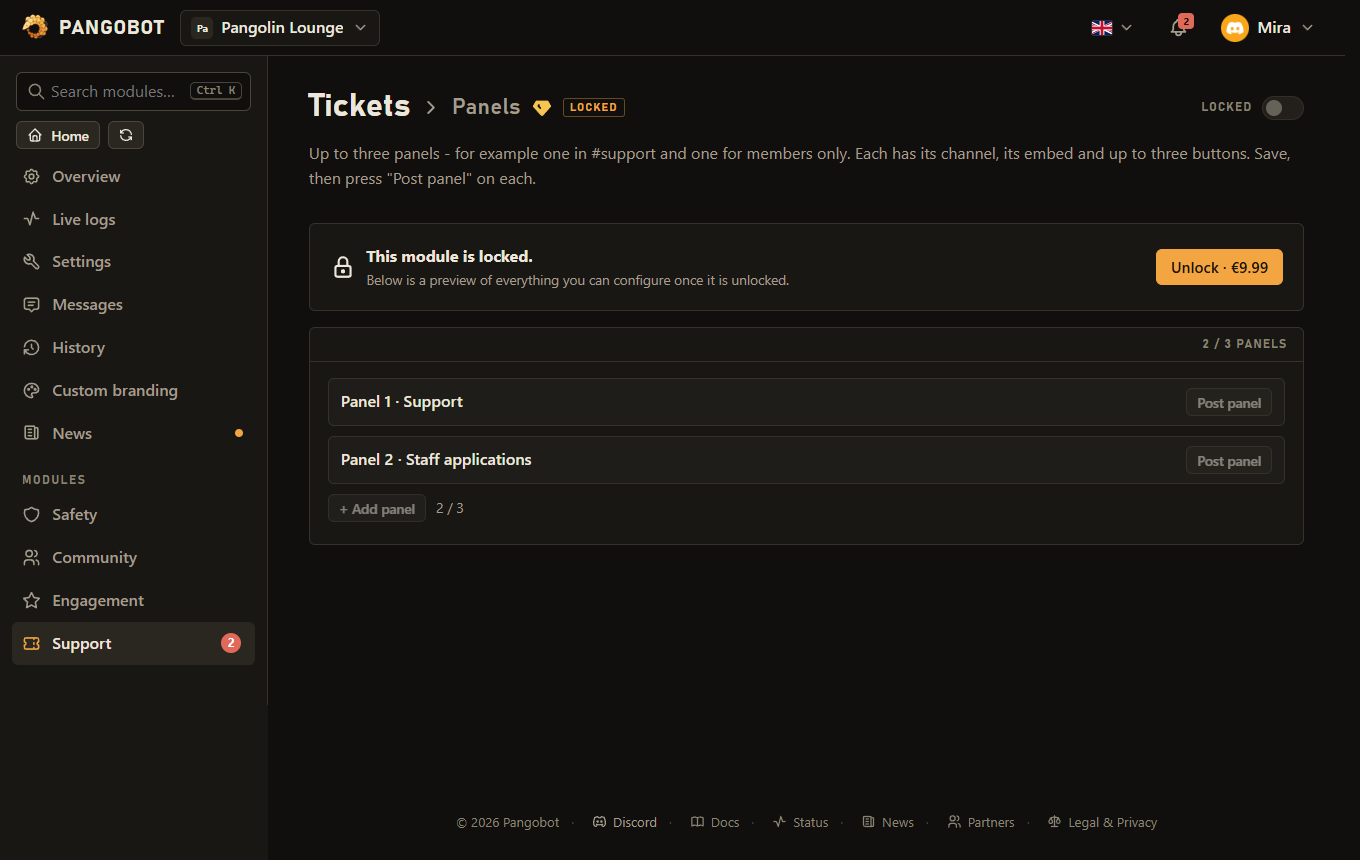
Up to three panels - for example one in #support and one for members only. Each has its channel, its embed and up to three buttons. Save, then press "Post panel" on each.
Where this panel with its buttons is posted.
Up to three buttons under this panel, each opening its own kind of ticket - for example Support, Bug and Question. Without any, the panel has one "Open a ticket" button. After a change, press "Post panel" again.
Optional. A standard emoji or one of your server's.
Empty = "Create tickets in category" below.
Who sees and answers them. Empty = the support roles below.
For buttons without a category of their own.
Can see and answer tickets - those of buttons without support roles of their own. A role of your own, or one not below your highest, takes "Manage Channels" and "Manage Roles" to add.
The support roles of that kind of ticket.
The first support member to write in a ticket claims it.
Placeholders: {user} {user.name} {server} {ticket} {type} (the button's text)
When a ticket is closed, its conversation is posted here as a file - for every kind of ticket. Staff only. Empty = no transcript: the conversation is deleted with the channel.
Who opened which kind of ticket, who closed it, and who was added or removed - keep it staff only. Can be the same channel as the transcripts.
Limits
- Panels: up to 3
- Per panel - Buttons: up to 3
- Per panel - Per button - Support roles for these tickets: up to 10
- Support roles: up to 10
- A member can open 3 tickets per 10 minutes.
- A server takes 15 new tickets from new members per 5 minutes (30 from members who have been there a week or longer).
- A transcript keeps up to 1,000 messages.
Good to know
- Several panels: each is its own message in its own channel, with its own embed and buttons, and its own Post panel. Removing a panel here also removes its message in Discord, and so does moving a panel to another channel - press Post panel to post it in the new one.
- Several kinds of tickets: each panel button can have its own channel name (
bugmakes bug-0042), its own category and its own support roles. What a button leaves empty comes from the module's settings. Only the support roles of a kind see its tickets and may claim, close and add members to them; Manage Channels works everywhere. Without buttons of your own the panel has one Open a ticket button. Changed a button? Press Post panel again - a renamed button keeps opening the same kind of ticket, a removed one tells members to use the current panel. Use{type}in the first message for the button's text. - The buttons in a ticket: Claim lets one of your support staff take the ticket. The button then says who took it, and the ticket log and the close notice name them. With "First answer claims the ticket" on (the default), the first of your support roles to write in a ticket has claimed it without pressing the button; the member who opened it and anyone added to it never claim it this way. Add someone opens a member picker (up to five at once, no bots). Both are for support staff only; Close ticket is described under When a ticket is closed.
/ticket addbrings another member of this server into a ticket (no bots, as with Add someone) and pings them./ticket removetakes out someone who was added or who opened it - not someone who sees the ticket through a support role or as an administrator. Neither can take Pangobot out of a ticket (with your own bot, neither of the two): it has to stay to save the transcript and remove the channel.- Members can close their own tickets if you allow it. Open tickets per member are limited, and pressing the button twice at once still opens only one; a member at the limit is pointed to the ticket they have. A ticket whose channel was deleted by hand while Pangobot was offline or Tickets was switched off no longer counts toward the member's limit. When the member who opened a ticket leaves the server, the ticket says so and stays open.
- Support roles see and answer the tickets of their kind: a button's own support roles, or the module's for buttons without any. Taking a role off the support roles also takes it out of the open tickets. @everyone cannot be one, and neither can a role Pangobot hands to anybody (a role menu, join roles, the verified role, a level reward, a shop item, the birthday role): every member could take it. Pick a role only your support team has - also one no other bot or Discord Onboarding gives to everybody.
- Only the server owner, an administrator, or someone with both Manage Channels and Manage Roles can make one of their own roles, or a role not below their highest, a support role. A support role cannot be taken off the list while it can still read the transcript channel.
- A button whose support roles were all deleted in Discord keeps them until you pick new ones: until then only administrators see its new tickets, and the problem list says so. Take them out to use the module's support roles.
- Pinging support roles: with "Ping support roles on new tickets" on, every new ticket pings them, and anybody can open a ticket. So you can only switch it on for roles you may ping yourself, or roles anybody may mention.
- The ticket log records who opened which kind of ticket and who closed it, who was added or removed, when the opener left, and tickets deleted by hand. Keep it staff only. It can be the same channel as the transcripts.
- At most 15 new tickets in five minutes from members who joined in the last week, and 30 from everyone else. The problem list tells you when it happened.
- If a ticket cannot be made, the member is told and the problem list says why: the category is full (Discord allows 50 channels in a category), or Pangobot is missing a permission. The failed attempt does not count against the member.
- Post panel first checks Pangobot's own permissions in the channel (View Channel, Send Messages, Embed Links, and Read Message History to update the panel) and names what is missing. An old panel message that is still around (for example one your own bot posted before you switched bots) tells members the panel is out of date and where the current one is.
What the bot needs
- To open tickets: Manage Channels, Manage Roles, View Channel, Send Messages and Read Message History in the ticket category - nothing more. With Attach Files and Embed Links there as well, members can send files in their ticket and the welcome message is an embed; without them the ticket still opens, with the welcome as plain text. In the transcript channel: Send Messages, Embed Links and Attach Files; in the ticket log channel Send Messages and Embed Links. Mention Everyone to ping support roles that are not mentionable.