





Embeds & Sticky Messages Free
Build rich embed posts from the dashboard and pin messages to the bottom of a channel.
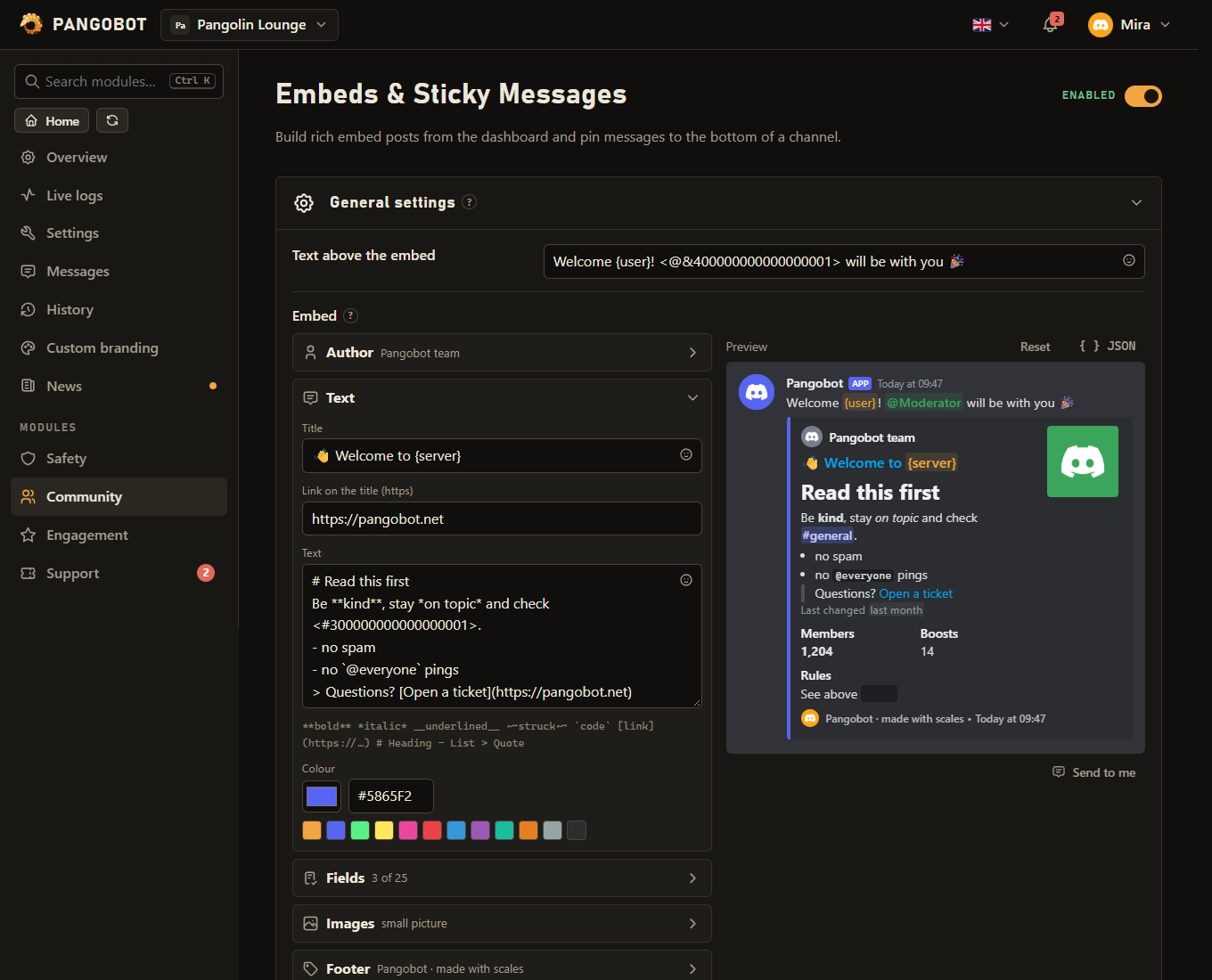
Three tools for announcements: embed posts you build in the dashboard and send to a channel - and can edit later without reposting - sticky messages that stay at the bottom of a channel, and /sendmessage, which says something in a channel straight away, in Pangobot's name.
Setting it up
- Add an embed post, pick the channel, build it, Save, then press Send / update.
- To change it later, edit and press Send / update again: the same message is edited.
Commands
<required> [optional] - "who may use it" is Discord's default; a server's admins can change it per command under Server Settings > Integrations.
/sendmessage
Manage Messages/sendmessage <channel> <message>Send a message to a channel as Pangobot
channeltextChannel ID, or pick one from the listmessagetextWhat Pangobot should say. Write \n for a new line.
Settings
Everything you can set for this module in the dashboard, in the order the page shows it.
Save first, then press "Send / update".
Placeholders: {server} {membercount} {server.boosts} {server.boostlevel} {channel} {channel.name}. Mentions here do not ping anybody - use /sendmessage, or a role ping in Social Notifications or Scheduled Messages.
Placeholders: {server} {membercount} {server.boosts} {server.boostlevel} {channel} {channel.name}
Limits
- Embed posts: up to 25
- Sticky messages: up to 10
- /sendmessage: 5 messages a minute per member, 2,000 characters each.
Good to know
- A sticky message is posted as soon as you save it, and again after new messages, so it stays the last one; the previous copy is removed. Messages of other bots do not move it; Pangobot's own posts (alerts, level-ups) do. One sticky per channel. It is not posted in a channel where Pangobot cannot post (View Channel, Send Messages, Embed Links): the problem list on the dashboard says why.
- Send / update first checks that Pangobot may post in the channel - View Channel, Send Messages, Embed Links, and Read Message History to update - and names what is missing. A second click while an embed is being sent is refused. An edit saved while it is being sent is kept: press Send / update again to show it.
- See Embeds and placeholders for what an embed can hold. Embed posts fill the server's placeholders:
{server}{membercount}{server.boosts}{server.boostlevel}{channel}{channel.name}. - Mentions in an embed post do not ping anybody - use /sendmessage, or a role ping in Social Notifications or Scheduled Messages.
- Pictures in an embed post (an image, a thumbnail, the author's or footer's picture, a link Discord would preview) are only posted by somebody who may post pictures in that channel themselves (Embed Links).
- An embed post moved to another channel takes its old message with it when you save; Send / update then posts it in the new channel. One that your server's other bot posted (custom branding) is replaced by a new one.
- /sendmessage posts plain text in a channel as Pangobot, with nothing to say who asked for it. Give it the channel ID (right-click the channel in Discord > Copy Channel ID, with Developer Mode on) or pick from the list it offers, and the text. Write
\nwhere a new line should be. - It only posts where you may post, and your AutoMod rules apply to the text as if you had written it.
- It pings nobody unless you could ping them yourself: @everyone, @here and roles need Mention Everyone in that channel. Links show a preview only if you may post pictures there yourself (Embed Links).
- Every use is written to Live Logs and to your server log channel (Logging) with who sent it, where, and the whole text. The message in the channel carries no name - the log always does. Five messages a member a minute.
- By default only members with Manage Messages see the command; change that under Server Settings > Integrations > Pangobot. With this module switched off, the command stays listed and answers that the module is off.
What the bot needs
- View Channel, Send Messages, Embed Links and Read Message History in the channel; for /sendmessage, Mention Everyone to ping @everyone, @here or roles that are not mentionable.